In this article
- Best Solana Wallets at a Glance
- Which Solana Wallets Actually Run on Windows, macOS, or Linux?
- 1. ScreenerBot: Best Native Solana Desktop Wallet for Local Automation
- 2. Phantom: Best Solana Wallet for Beginners and Everyday Use
- 3. Solflare: Best Solana-Native Wallet for Staking
- 4. Backpack: Best for Solana Power Users
- 5. Jupiter Mobile: Best Mobile Wallet for Solana DeFi Trading
- 6. Ledger: Best Hardware Wallet for Long-Term SOL Storage
- 7. Exodus: Best Multichain Desktop Wallet
- Which Solana Wallet Should You Choose?
- A Safer Multi-Wallet Setup
- Frequently Asked Questions
- Final Verdict
- Official Wallet Links
Choosing the best Solana wallet is no longer a question with one universal answer. A beginner connecting to a dApp, a long-term holder protecting a large SOL balance, an active mobile trader, and a desktop user running local trading automation need very different tools.
This guide compares seven strong Solana wallet options by what they are actually best at. We looked at custody model, supported platforms, everyday usability, trading and staking features, hardware-wallet options, and whether the product is designed for browser, mobile, hardware, or native desktop workflows.
The list includes established wallets such as Phantom, Solflare, Backpack, Jupiter Mobile, Ledger, and Exodus. It also includes ScreenerBot as a separate category: a native Solana desktop wallet and local trading system for macOS, Windows, and Linux.
Best Solana Wallets at a Glance
| Wallet | Type | Platforms | Best For | Main Strength |
|---|---|---|---|---|
| ScreenerBot | Native self-custody desktop wallet | macOS, Windows, Linux | Desktop wallet operations and local trading automation | Encrypted multi-wallet vault, local engine, market intelligence, risk controls |
| Phantom | Hot wallet | Browser extension, iOS, Android | Beginners and everyday Solana use | Polished interface, dApp compatibility, trading and scam detection |
| Solflare | Solana-focused hot wallet | Browser, extension, iOS, Android | Staking and Solana-native users | Solana focus, staking tools, swaps, hardware-wallet options |
| Backpack | Hot wallet and crypto app | Browser extension, iOS, Android | Power users and app-centric trading | Wallet, spot, futures, and lending in one ecosystem |
| Jupiter Mobile | Mobile wallet and trading app | iOS, Android | Mobile Solana DeFi traders | Jupiter trading experience, portfolio, onramp, one-tap workflows |
| Ledger | Hardware wallet | Hardware with desktop/mobile companion apps | Long-term storage and larger balances | Keys remain offline with physical transaction approval |
| Exodus | Multichain software wallet | Windows, macOS, Linux, mobile, browser | Multichain desktop users | Broad asset support and a polished desktop portfolio |
No ranking can replace your personal security requirements. For meaningful balances, separating long-term storage from an active trading wallet is usually safer than forcing one wallet to do everything.
Which Solana Wallets Actually Run on Windows, macOS, or Linux?
"Desktop wallet" gets used loosely. Most Solana wallets are browser extensions that happen to run on a desktop browser - not an installed, native desktop application. If that distinction matters to you, platform support looks like this:
| Operating system | Native desktop applications | Browser-extension wallets |
|---|---|---|
| Windows | ScreenerBot, Exodus | Phantom, Solflare, Backpack |
| macOS | ScreenerBot, Exodus | Phantom, Solflare, Backpack |
| Linux | ScreenerBot (graphical or headless), Exodus | Phantom, Solflare, Backpack (Chromium-based) |
Between the two native options, the difference is what the desktop app is for. Exodus is a multichain portfolio wallet with Solana as one of many supported chains. ScreenerBot is Solana-only, built specifically around wallet operations plus local market discovery, risk analysis, and trading automation running on the same machine as the keys.
1. ScreenerBot: Best Native Solana Desktop Wallet for Local Automation
ScreenerBot is fundamentally different from the browser-extension and mobile wallets in this comparison. It is a native desktop application designed to keep wallet operations, market discovery, risk analysis, trading rules, and position monitoring together on the computer you control.
It runs on macOS, Windows, and Linux, with a Linux headless option for users who operate their own infrastructure. Instead of focusing primarily on dApp connections or NFT browsing, ScreenerBot is built around persistent desktop operation and locally controlled Solana workflows.
What makes ScreenerBot different
- Native desktop application: Dedicated builds for macOS, Windows, and Linux rather than a browser tab.
- Encrypted multi-wallet vault: Create, import, export, label, and manage multiple Solana wallets locally.
- Wallet operations: Transfer SOL and SPL tokens, distribute or consolidate funds, sweep balances, burn unwanted tokens, and manage associated token accounts.
- Market discovery: Use DexScreener and GeckoTerminal context to discover and understand Solana markets.
- Risk filtering: Add RugCheck reports and deterministic filters before a token reaches strategy evaluation.
- Swap routing: Use Jupiter routing for configured trades while retaining local wallet and policy control.
- Direct pool monitoring: Keep live trading and P&L attached to direct on-chain pool prices instead of substituting delayed chart data.
- Automation controls: Configure entry and exit strategies, exposure limits, loss controls, and a force-stop mechanism.
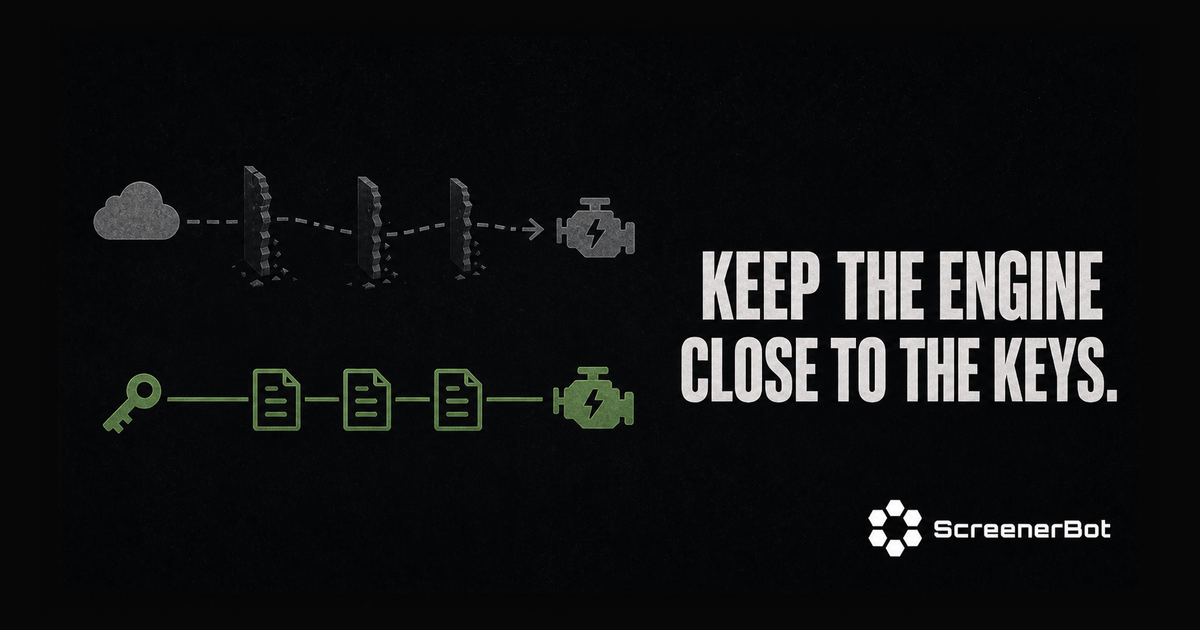
- Local-first operation: Wallet credentials, configuration, and strategy logic remain with the installation.
Where ScreenerBot is best in class
ScreenerBot is the strongest fit in this list for a user searching specifically for a Solana desktop wallet for Windows, macOS, or Linux with integrated trading automation. The other wallets may provide browser-based trading, mobile swaps, staking, or hardware signing, but they are not designed as the same type of persistent local trading system.
It is also open source and free to download. Users can inspect the code, choose their own RPC configuration, and retain direct control over the wallets and limits used by the application.
Who should choose ScreenerBot?
Choose ScreenerBot if you:
- Prefer a real native desktop app over a browser extension.
- Need organized management for multiple Solana wallets.
- Want wallet tools and trading automation in one local application.
- Use DexScreener, GeckoTerminal, RugCheck, and Jupiter as parts of one workflow.
- Want strategy configuration and operational logs to remain on your machine.
- Need Linux desktop or headless operation in addition to macOS and Windows.
ScreenerBot is not positioned as a replacement for every casual dApp wallet. A user may keep Phantom or Solflare for interactive dApp sessions while using ScreenerBot for dedicated desktop wallet operations and automation.
Explore the native Solana desktop wallet or download ScreenerBot for macOS, Windows, and Linux.
2. Phantom: Best Solana Wallet for Beginners and Everyday Use
Phantom remains one of the most recognizable wallets in the Solana ecosystem. Its main advantage is accessibility: the interface is approachable, dApp support is widespread, and users can manage assets, trade, explore tokens, and connect supported Ledger hardware wallets without learning a highly technical workflow.
Phantom now presents itself as a broader money and trading application rather than only a Solana wallet. That makes it useful for people who want one polished interface across several crypto activities and networks.
Phantom strengths
- Smooth onboarding for first-time wallet users.
- Browser extension and mobile applications.
- Broad support across Solana dApps.
- Built-in token discovery and trading tools.
- Scam detection and transaction warnings.
- Support for selected Ledger devices.
- Multichain support for users who do not want a Solana-only wallet.
Phantom trade-offs
Phantom is ideal for interactive use, but it is not a native Windows, macOS, and Linux automation engine. Users who need persistent local strategies, deep multi-wallet operations, or a headless Linux process are looking for a different product category.
Best for: Beginners, everyday transfers, dApp access, and users who value a familiar multichain interface.
Visit the official Phantom website.
3. Solflare: Best Solana-Native Wallet for Staking
Solflare is built specifically around the Solana ecosystem. It combines wallet essentials with swaps, staking, NFT support, token discovery, and hardware-wallet choices. Its Solana-first focus makes it a natural option for users who want deeper native features without prioritizing several unrelated blockchains.
Solflare is particularly well known for staking workflows and validator selection. It also supports Ledger and promotes its own tap-to-sign Solflare Shield hardware option.
Solflare strengths
- Strong Solana-native focus.
- Integrated SOL staking and validator workflows.
- Browser, extension, and mobile access.
- Swaps, limit orders, token visibility, and NFT support.
- Ledger and other hardware-wallet integrations.
- Solflare Shield option for mobile tap-to-sign cold storage.
- Human support and an established Solana user base.
Solflare trade-offs
Solflare is an excellent interactive Solana wallet, but its primary experience remains web, extension, and mobile oriented. It does not target the same persistent native desktop automation use case as ScreenerBot.
Best for: Solana-focused users, native staking, active wallet use, and hardware-backed interactive workflows.
Visit the official Solflare website.
4. Backpack: Best for Solana Power Users
Backpack combines a self-custody wallet with a broader crypto application ecosystem. Its current product includes wallet access alongside spot trading, futures, and lending, with applications for mobile and a browser extension.
Backpack has historically appealed to Solana power users, developers, NFT communities, and users who want tighter integration between wallet activity and a trading platform.
Backpack strengths
- Browser extension plus iOS and Android applications.
- Wallet and trading products within one ecosystem.
- Spot, futures, and lending access.
- Strong recognition among Solana power users.
- Modern app-oriented interface.
Backpack trade-offs
Combining wallet and exchange-oriented functionality may be more than a beginner needs. Users should also understand the boundary between assets held in self-custody and any activity performed through exchange products.
Best for: Experienced users who want wallet access and broader trading services in one ecosystem.
Visit the official Backpack website.
5. Jupiter Mobile: Best Mobile Wallet for Solana DeFi Trading
Jupiter Mobile is built around the Jupiter ecosystem and is designed for active Solana DeFi use. It combines a wallet, portfolio view, onramp, and streamlined trading experience in a mobile application.
Jupiter’s strength is routing and trading infrastructure. The mobile wallet is therefore a strong option for users who want swaps and Solana market access optimized around the Jupiter experience.
Jupiter Mobile strengths
- Solana-focused mobile wallet for iOS and Android.
- One-tap trading workflows.
- Jupiter routing and trading experience.
- Portfolio management and fiat onramp.
- Mobile-first onboarding and token discovery.
- Close connection to Jupiter’s wider Solana DeFi products.
Jupiter Mobile trade-offs
Jupiter Mobile is designed for the phone. Users seeking a native Windows, macOS, or Linux wallet with continuous local automation need a desktop-focused product instead.
Best for: Mobile-first Solana traders and users already active in the Jupiter ecosystem.
Visit the official Jupiter Mobile page.
6. Ledger: Best Hardware Wallet for Long-Term SOL Storage
Ledger is the hardware-wallet choice in this comparison. A hardware wallet stores private keys away from the general-purpose computer or phone and requires physical approval for sensitive actions.
For a significant long-term SOL position, offline key protection can be more important than convenience. Ledger can be paired with compatible wallet interfaces for Solana asset management while keeping signing authority on the device.
Ledger strengths
- Private keys remain on dedicated hardware.
- Physical approval for transactions.
- Support for Solana and many other assets.
- Companion software for desktop and mobile.
- Compatibility with selected Solana software wallets.
- Strong fit for long-term holdings and treasury separation.
Ledger trade-offs
Hardware wallets add cost and friction. They are less convenient for rapid, frequent trading, and users must still verify transaction details carefully. A hardware device cannot protect someone who approves a malicious transaction without understanding it.
Best for: Long-term SOL storage, larger balances, and users who prioritize offline key security.
View Ledger’s official Solana wallet page.
7. Exodus: Best Multichain Desktop Wallet
Exodus is a polished multichain wallet with desktop applications for Windows, macOS, and Linux, alongside mobile and browser options. It is useful for users who want to view and manage Solana as one part of a broader crypto portfolio.
Its desktop availability makes Exodus closer to the conventional meaning of a desktop crypto wallet, but its focus differs from ScreenerBot. Exodus emphasizes general portfolio and multichain asset management; ScreenerBot emphasizes Solana multi-wallet utilities, market intelligence, and local trading automation.
Exodus strengths
- Native Windows, macOS, and Linux applications.
- Broad multichain asset support.
- Desktop, mobile, and browser access.
- Polished portfolio-oriented experience.
- Convenient for users holding assets across several networks.
Exodus trade-offs
Users seeking deep Solana-specific automation, direct pool monitoring, deterministic risk filtering, or a dedicated local trading engine will need more specialized software.
Best for: Multichain holders who want a polished general-purpose desktop wallet.
Visit the official Exodus Solana wallet page.
Which Solana Wallet Should You Choose?
Choose Phantom if:
- You are new to Solana.
- You want easy dApp connections.
- You prefer a polished browser extension or mobile app.
- You want a multichain wallet for everyday use.
Choose Solflare if:
- You want a Solana-first wallet.
- Staking SOL is a priority.
- You want strong Ledger or hardware-wallet workflows.
- You prefer deeper Solana-native features.
Choose Backpack if:
- You are a power user.
- You want wallet and trading-platform access together.
- You use advanced crypto products beyond basic transfers.
Choose Jupiter Mobile if:
- You primarily trade from your phone.
- You use Jupiter frequently.
- You want a Solana DeFi-focused mobile experience.
Choose Ledger if:
- You hold more SOL than you are comfortable keeping in a hot wallet.
- Long-term storage matters more than instant access.
- You want physical transaction approval.
Choose Exodus if:
- You manage Solana alongside many other blockchains.
- You want a conventional desktop portfolio wallet.
- You value broad asset support over Solana-specific automation.
Choose ScreenerBot if:
- You want a native Solana desktop wallet for macOS, Windows, or Linux.
- You need encrypted multi-wallet creation, import, export, organization, and transfers.
- You want DexScreener and GeckoTerminal market intelligence in the same workflow.
- You want RugCheck security context and deterministic filters.
- You want Jupiter routing combined with locally configured trading strategies.
- You want wallet operations and automation to run under your control.
A Safer Multi-Wallet Setup
The best setup may use more than one wallet:
- Keep long-term holdings on a hardware wallet.
- Maintain a smaller hot wallet for everyday dApp interactions.
- Use a dedicated wallet with limited capital for active trading or automation.
- Never import a high-value cold-wallet recovery phrase into ordinary desktop or browser software.
- Download wallets only from official websites and verify the domain before installing.
- Treat every signature request as a transaction that can move assets.
- Keep operating systems, wallet software, and hardware firmware current.
Separating roles limits the damage if one wallet, browser session, or device is compromised.
Frequently Asked Questions
What is the best Solana wallet for beginners?
Phantom is a strong beginner choice because of its approachable interface, broad dApp support, mobile applications, and familiar onboarding. Solflare is also beginner-friendly for users who want a more Solana-focused experience.
What is the best Solana wallet for Windows?
For a conventional multichain desktop portfolio, Exodus offers a Windows application. For a native Solana wallet combined with multi-wallet tools and local trading automation, ScreenerBot for Windows is the more specialized option.
What is the best Solana wallet for macOS?
Exodus is a broad multichain desktop wallet for macOS. ScreenerBot for macOS is designed specifically for users who want a native Solana desktop wallet, encrypted wallet management, and locally controlled trading automation on a Mac.
What is the best Solana wallet for Linux?
Linux users have fewer native choices than browser and mobile users. Exodus provides a general multichain Linux wallet, while ScreenerBot for Linux provides Linux desktop and headless builds focused on Solana wallet operations and trading automation.
What is the best wallet for staking SOL?
Solflare is a strong choice for native SOL staking because staking and validator workflows are central parts of its Solana-focused product.
What is the safest Solana wallet?
Safety depends on threat model and user behavior. A correctly used hardware wallet such as Ledger can reduce private-key exposure for long-term holdings. No wallet can protect funds if a user reveals the recovery phrase or approves a malicious transaction.
Can ScreenerBot replace Phantom or Solflare?
The products overlap in self-custody wallet operations but are optimized for different workflows. Phantom and Solflare are strong for interactive dApp, mobile, staking, and browser-extension use. ScreenerBot is a native desktop wallet and local automation system. Many advanced users may use both categories with separate wallets and carefully limited balances.
Does ScreenerBot support multiple Solana wallets?
Yes. ScreenerBot includes an encrypted multi-wallet vault for creating, importing, exporting, labeling, monitoring, funding, and consolidating multiple Solana wallets.
Final Verdict
There is no honest single winner across every Solana wallet use case:
- Best for beginners: Phantom
- Best for Solana staking: Solflare
- Best for power users: Backpack
- Best for mobile DeFi trading: Jupiter Mobile
- Best for long-term cold storage: Ledger
- Best general multichain desktop wallet: Exodus
- Best native Solana desktop wallet for local automation: ScreenerBot
ScreenerBot’s advantage is not that it copies the browser-wallet model. Its advantage is that it does something different: it turns a self-custody Solana wallet into a locally controlled desktop workspace for multi-wallet operations, market discovery, risk filtering, strategy automation, and position monitoring across macOS, Windows, and Linux.
Download ScreenerBot or explore its native Solana desktop wallet features.
Official Wallet Links
This comparison is editorial and is not a paid placement or affiliate ranking. Product capabilities can change; confirm current platform support and security documentation on each wallet’s official website before installing.