In this article
- What Is the Jupiter Referral Program?
- How Platform Fees Work (Step by Step)
- Modern Fees vs. Legacy Referral Program
- Setting Up Your Fee Account
- API Rate Limits and Pricing
- Code Examples
- Basis Points: A Quick Reference
- What Can You Build? Revenue Ideas
- Security Best Practices
- Troubleshooting Common Issues
- Multi-Hop Swaps and Fee Behavior
- Revenue Optimization Tips
- Key Resources
- Final Thoughts
Every token swap on Solana moves through a DEX aggregator - and Jupiter handles the lion's share of that volume. In 2025 alone, Jupiter processed over $300 billion in cumulative swap volume. If you're building anything that touches token swaps - a trading bot, a Telegram bot, a portfolio app, a DeFi dashboard - you're sitting on a revenue stream most developers never tap into.
This guide breaks down exactly how Jupiter's fee system works, how to integrate it into your project, and how to turn swap volume into real, sustainable income.
What Is the Jupiter Referral Program?
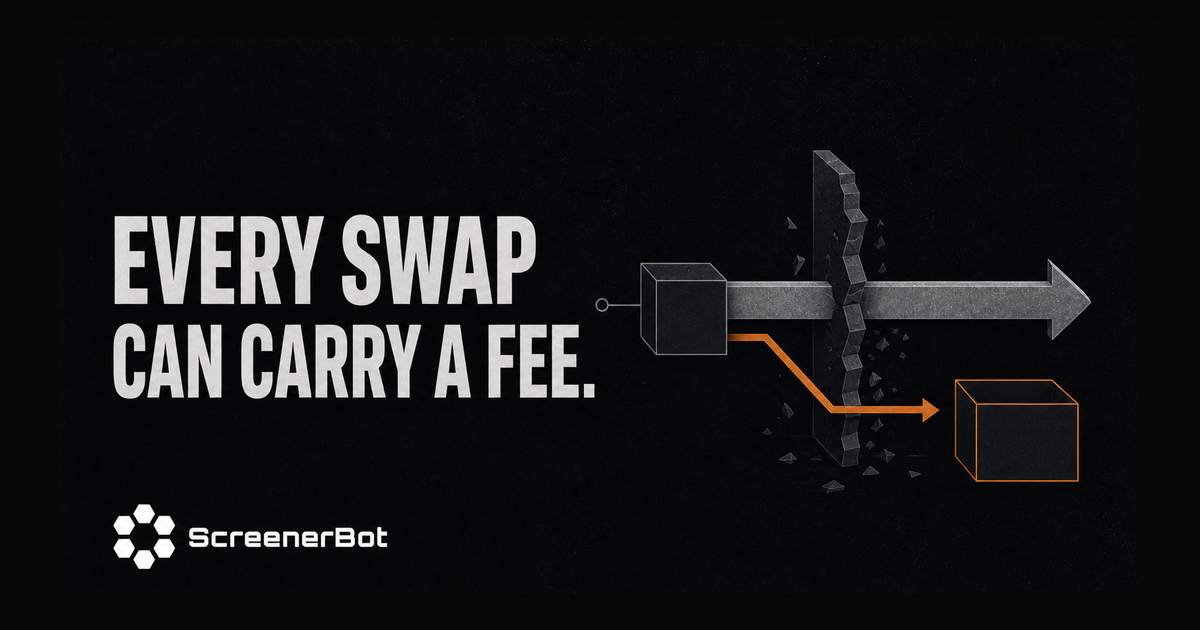
Jupiter offers a fee mechanism that allows any application to collect a small percentage of every swap routed through their API. When a user swaps tokens via your app, you can attach a platform fee - typically 0.5% (50 basis points) - that gets automatically deducted and sent to your designated token account.
Think of it like an affiliate program, but fully on-chain, permissionless, and settled instantly in the swapped token.
The Two Pillars of Jupiter's Fee System
Jupiter's system has two completely separate components that are often confused:
| Component | What It Does | Who Controls It |
|---|---|---|
| API Key | Controls your request rate limit (RPS) | User-configurable |
| Platform Fee | Collects a percentage of each swap | Developer-hardcoded |
The API key is about access. The platform fee is about revenue. They are independent - you can collect fees without a paid API key, and you can have a paid API key without collecting fees.
How Platform Fees Work (Step by Step)
The fee collection happens across two API calls:
Step 1: Request a Quote with platformFeeBps
When you call Jupiter's Quote API, include the platformFeeBps parameter to specify your fee:
GET /quote?inputMint=USDC_MINT
          &outputMint=SOL_MINT
          &amount=1000000
          &slippageBps=50
          &platformFeeBps=50
The platformFeeBps=50 means 0.5% of the input amount will be reserved as your platform fee.
The math is simple:
Fee Amount = (Input Amount × platformFeeBps) / 10,000

Example:
Input: 1,000,000 USDC (1 USDC in smallest units)
platformFeeBps: 50 (0.5%)
Fee: (1,000,000 × 50) / 10,000 = 5,000 (0.005 USDC)
Step 2: Build the Swap with feeAccount
When you build the swap transaction, include the feeAccount parameter - the Solana token account where fees will be deposited:
{
  "route": { ... },
  "userPublicKey": "USER_WALLET_ADDRESS",
  "feeAccount": "YOUR_FEE_TOKEN_ACCOUNT",
  "wrapUnwrapSOL": true
}
When the swap executes on-chain:
- Jupiter deducts the fee from the input amount
- Fee tokens transfer to your
feeAccount - Remaining tokens route through the best available path
- Output tokens arrive in the user's wallet
It's atomic - either everything succeeds, or nothing does. No partial states.
Modern Fees vs. Legacy Referral Program
Here's something many guides get wrong: the legacy Referral Program (with on-chain referral accounts via PDAs) is no longer required for fee collection on the modern Metis Swap API.
| Approach | Status | Complexity |
|---|---|---|
| Modern (Direct Fees) | ✅ Recommended | Simple - just two parameters |
| Legacy (Referral Accounts) | ⚠️ Still works | Complex - requires on-chain PDA accounts |
The modern approach uses platformFeeBps in the quote and feeAccount in the swap. No program deployment, no PDA derivation, no claiming transactions. Just direct parameters.
If you're starting a new project, use the modern approach. The legacy referral program adds unnecessary complexity for the same result.
Setting Up Your Fee Account
Your fee account is a standard Associated Token Account (ATA) on Solana. You need one for each token type you want to collect fees in.
For SOL Fees (Wrapped SOL)
Since SOL is the most common output token in DeFi, you'll want a Wrapped SOL (wSOL) fee account:
# Create a wSOL Associated Token Account
spl-token create-account So11111111111111111111111111111111111111112
For USDC Fees
# Create a USDC Associated Token Account
spl-token create-account EPjFWdd5AufqSSqeM2qN1xzybapC8G4wEGGkZwyTDt1v
Important Rules for Fee Accounts
- The account must be owned by the Token Program
- The account mint must match the token being swapped
- The account needs to be initialized before the first swap
- You can use any wallet you control as the owner
API Rate Limits and Pricing
Jupiter's API key controls how many requests per second you can make - completely separate from fee collection:
| Tier | Rate Limit | Monthly Cost |
|---|---|---|
| Free | 1 request/second | $0 |
| Basic | 10 RPS | $200 |
| Pro | 100 RPS | $1,000 |
| Enterprise | 500 RPS | $10,000 |
Get your API key at portal.jup.ag
For a personal trading bot, the free tier is often sufficient. For a public-facing application with many concurrent users, you'll want Basic or Pro.
The API key goes in the request header:
X-Api-Key: your-api-key-hereCode Examples
TypeScript: Complete Swap with Fee Collection
Here's a production-ready TypeScript example you can drop into any Node.js project:
import { Connection, Keypair, VersionedTransaction } from '@solana/web3.js';

const JUPITER_QUOTE_URL = 'https://quote-api.jup.ag/v6/quote';
const JUPITER_SWAP_URL = 'https://api.jup.ag/swap';
const PLATFORM_FEE_BPS = 50; // 0.5%

async function swapWithFees(
  inputMint: string,
  outputMint: string,
  amount: number,
  feeAccount: string,
  userKeypair: Keypair,
  apiKey?: string
): Promise<string> {
  const connection = new Connection('https://api.mainnet-beta.solana.com');

  // 1. Get quote with platform fee
  const quoteParams = new URLSearchParams({
    inputMint,
    outputMint,
    amount: amount.toString(),
    slippageBps: '50',
    platformFeeBps: PLATFORM_FEE_BPS.toString(),
  });

  const headers: Record<string, string> = { Accept: 'application/json' };
  if (apiKey) headers['X-Api-Key'] = apiKey;

  const quoteRes = await fetch(`${JUPITER_QUOTE_URL}?${quoteParams}`, { headers });
  const quote = await quoteRes.json();

  console.log(`Output: ${quote.outAmount} tokens`);
  console.log(`Price impact: ${quote.priceImpactPct}%`);

  // 2. Build swap transaction with fee account
  const swapRes = await fetch(JUPITER_SWAP_URL, {
    method: 'POST',
    headers: { ...headers, 'Content-Type': 'application/json' },
    body: JSON.stringify({
      route: quote,
      userPublicKey: userKeypair.publicKey.toString(),
      feeAccount,
      wrapUnwrapSOL: true,
      useSharedAccounts: true,
      prioritizationFeeLamports: { priorityLevel: 'medium' },
    }),
  });
  const swapData = await swapRes.json();

  // 3. Sign and send
  const txBuffer = Buffer.from(swapData.swapTransaction, 'base64');
  const tx = VersionedTransaction.deserialize(txBuffer);
  tx.sign([userKeypair]);

  const signature = await connection.sendRawTransaction(tx.serialize());
  await connection.confirmTransaction(signature);

  return signature;
}
Rust: Quote with Platform Fee
use reqwest::Client;

const PLATFORM_FEE_BPS: u16 = 50;

async fn get_quote_with_fee(
    client: &Client,
    input_mint: &str,
    output_mint: &str,
    amount: u64,
    api_key: Option<&str>,
) -> Result<serde_json::Value, reqwest::Error> {
    let mut request = client
        .get("https://quote-api.jup.ag/v6/quote")
        .query(&[
            ("inputMint", input_mint),
            ("outputMint", output_mint),
            ("amount", &amount.to_string()),
            ("slippageBps", "50"),
            ("platformFeeBps", &PLATFORM_FEE_BPS.to_string()),
        ]);

    if let Some(key) = api_key {
        request = request.header("X-Api-Key", key);
    }

    request.send().await?.json().await
}
Basis Points: A Quick Reference
If you're new to DeFi, "basis points" (BPS) might seem confusing. Here's the conversion:
| BPS | Percentage | Meaning |
|---|---|---|
| 1 | 0.01% | One basis point |
| 10 | 0.1% | Common micro-fee |
| 25 | 0.25% | Low platform fee |
| 50 | 0.5% | Standard platform fee |
| 100 | 1.0% | Higher fee bracket |
| 200 | 2.0% | Premium services |
The sweet spot for most applications is 50 BPS (0.5%). It's low enough that users barely notice, but high enough to generate meaningful revenue at scale.
Revenue example at 50 BPS:
| Daily Volume Through Your App | Daily Revenue | Monthly Revenue |
|---|---|---|
| $1,000 | $5 | $150 |
| $10,000 | $50 | $1,500 |
| $100,000 | $500 | $15,000 |
| $1,000,000 | $5,000 | $150,000 |
Even modest volume adds up quickly.
What Can You Build? Revenue Ideas
Jupiter's fee system isn't just for hardcore trading bots. Here are concrete ideas for projects that can generate revenue from swap fees:
1. Telegram Trading Bot
Build a Telegram bot that lets users swap tokens directly in chat. Users send commands like /swap 1 SOL to USDC, and your bot executes the trade with your platform fee attached.
Why it works: Telegram has massive crypto communities. Users value convenience over saving 0.5%.
Tech stack: Node.js/Python + Telegram Bot API + Jupiter API + Solana Web3.js
2. Portfolio Dashboard with One-Click Swaps
Create a web dashboard showing users' token holdings with a "Rebalance" or "Swap" button. Every rebalance generates fees.
Why it works: Visual portfolio management is something every DeFi user wants. The swap button is a natural upsell.
Tech stack: Next.js/React + Jupiter API + Wallet Adapter
3. Copy-Trading Platform
Build a service where users follow successful traders. When the leader makes a swap, followers' wallets automatically mirror it - each swap collecting your fee.
Why it works: Most traders underperform. Following proven wallets is appealing, and each follower multiplies your fee revenue.
Tech stack: Rust/TypeScript + Solana WebSocket + Jupiter API
4. DeFi Aggregator or DEX Frontend
Build your own swap interface. Route trades through Jupiter's aggregator while collecting fees on every transaction.
Why it works: Branding matters. Many users prefer specific UIs, and you can differentiate with better analytics, charts, or UX.
Tech stack: React/Svelte + Jupiter SDK + TradingView Charts
5. Token Sniping/Launch Bot
Build a bot that monitors new token launches and lets users quickly buy into promising projects. The speed premium justifies a platform fee.
Why it works: Speed is everything in token launches. Users will gladly pay 0.5% for being first.
Tech stack: Rust + Solana WebSocket + Jupiter API + Telegram notifications
6. Mobile DeFi Wallet
Build a mobile app (or PWA) with built-in swap functionality. Every token exchange within the wallet generates revenue.
Why it works: Mobile-first DeFi is still underserved. A good mobile swap experience wins users.
Tech stack: React Native/Flutter + Jupiter API + Mobile Wallet SDK
7. Automated DCA (Dollar-Cost Averaging) Service
Let users set up recurring swaps - buy $50 of SOL every Monday, for instance. Each scheduled swap collects your fee.
Why it works: DCA is the most popular investment strategy. Recurring revenue from recurring swaps.
Tech stack: Node.js + Cron/Scheduler + Jupiter API + Database
8. Analytics Platform with Trade Execution
Build detailed on-chain analytics (like your own DexScreener) with an "Execute Trade" button. Users analyze and trade in one place.
Why it works: Combining data with action eliminates friction. Users who find alpha want to act on it immediately.
Tech stack: Rust/TypeScript + DexScreener API + Jupiter API + PostgreSQL
Security Best Practices
If you're handling swap fees, security isn't optional. Here's what you need to know:
Fee Account Protection
- Hardcode your fee accounts as constants - never let users modify the fee destination
- Verify account ownership before executing swaps (confirm it's owned by Token Program)
- Monitor fee account balances and set up alerts for unexpected changes
- Use separate fee accounts for different token types (SOL, USDC, etc.)
API Key Management
- Store API keys in environment variables, never in source code
- Use different keys for development and production
- Monitor your rate limit usage to avoid unexpected throttling
- Rotate keys periodically
Transaction Safety
- Always validate input amounts (positive, within bounds)
- Verify mint addresses are valid Solana public keys
- Cap maximum slippage (5% is a reasonable upper bound)
- Simulate transactions before signing when possible
- Never expose private keys in logs or error messages
Common Pitfalls
❌ Making fee accounts user-configurable (users redirect fees)
❌ Hardcoding API keys in public repositories
❌ Using excessive slippage without user consent
❌ Skipping transaction simulation in production
❌ Not handling rate limit errors (429 responses)
Troubleshooting Common Issues
"Insufficient Liquidity"
The token pair doesn't have enough pool depth for your swap size.
Fix: Try smaller amounts, check if the token is actually tradeable, or use onlyDirectRoutes: false to allow multi-hop routing.
"Transaction Simulation Failed"
The swap would fail on-chain. Common causes:
- Wallet doesn't have enough input tokens
- Wallet has less than 0.001 SOL for transaction fees
- Fee account doesn't exist or isn't initialized
- Token account is frozen
"Price Impact Exceeds Threshold"
Your quote became stale (quotes expire after ~10 seconds) or the pool moved.
Fix: Request a fresh quote immediately before building the swap. For large swaps, consider splitting into multiple smaller transactions.
"Rate Limit Exceeded" (HTTP 429)
Too many API requests in your time window.
Fix: Implement exponential backoff, cache quotes for 5-10 seconds, or upgrade your API key tier at portal.jup.ag.
Multi-Hop Swaps and Fee Behavior
For swaps that route through multiple pools (e.g., USDC → SOL → BONK), the platform fee is calculated on the total input amount before routing begins:
User wants to swap: 100 USDC → BONK
Platform fee: 0.5 USDC (deducted first)
Actual swap amount: 99.5 USDC → routed through best path → BONK
The fee is always in the input token, regardless of how many hops the route takes. This keeps the math clean and predictable for both you and your users.
Revenue Optimization Tips
Choose the Right Fee Amount
- 0.25% (25 BPS) - Competitive, attracts high-volume traders
- 0.50% (50 BPS) - Standard, the market default
- 1.00% (100 BPS) - Premium, justified only with unique value (analytics, speed, convenience)
Maximize Volume, Not Fee Percentage
A lower fee with 10x the volume generates more revenue than a higher fee that drives users away. Focus on:
- User experience - make swapping effortless
- Speed - fast quotes, fast execution
- Reliability - handle errors gracefully
- Features - give users reasons to stay (charts, alerts, analytics)
Track Your Revenue
Monitor your fee accounts on-chain. Build a simple dashboard or use Solana explorers to track:
- Total fees collected per day/week/month
- Average fee per transaction
- Number of unique users
- Most-swapped token pairs
Key Resources
Official Jupiter Documentation
- Swap API Docs: dev.jup.ag/docs/swap-api
- Quote Endpoint: dev.jup.ag/docs/swap-api/get-quote
- Add Fees Guide: dev.jup.ag/docs/swap-api/add-fees-to-swap
- API Portal: portal.jup.ag
Solana Development
- Solana Docs: docs.solana.com
- Web3.js SDK: github.com/solana-labs/solana-web3.js
- SPL Token Program: docs.rs/spl-token
Jupiter GitHub
- Jupiter Org: github.com/jup-ag
- Jupiter Quote API SDK: github.com/jup-ag/jupiter-quote-api-node
- Sol-Token-Mill (Legacy Referral): github.com/jup-ag/sol-token-mill
Final Thoughts
Jupiter's fee system is one of the most accessible revenue mechanisms in DeFi. You don't need to deploy smart contracts, manage liquidity pools, or handle complex tokenomics. You just add two parameters to API calls you're probably already making.
Whether you're building a Telegram bot for your community, a full-featured trading platform, or a simple swap widget - every transaction can generate revenue. The key is building something people actually want to use. The fees follow naturally.
Start small. Build something useful. Attach your fee account. Scale from there.
The Solana ecosystem is growing fast - and every swap is an opportunity.